
Runtime feature toggles in no-code frontends
No-code frontends make it easy to ship UI quickly, but they can also make rollouts feel “all or nothing” if every change requires republishing screens or rebuilding flows. Runtime feature toggles solve that: you can turn UI and behavior on or off while the app is live, without redeploying the frontend bundle. This is especially useful for safe rollouts, kill switches, and “dark launch” UI where components exist in production but remain hidden or inaccessible until you decide to expose them.
In practice, runtime toggles are a small decision system that sits between your users and your UI. When done well, toggles give you production control that’s normally associated with custom-coded apps, while still fitting the visual workflow of modern no-code builders.
What “runtime” means and why it matters
A runtime toggle is evaluated when a user loads the app (or when a specific action occurs), not at build time. That seems subtle, but it changes everything:
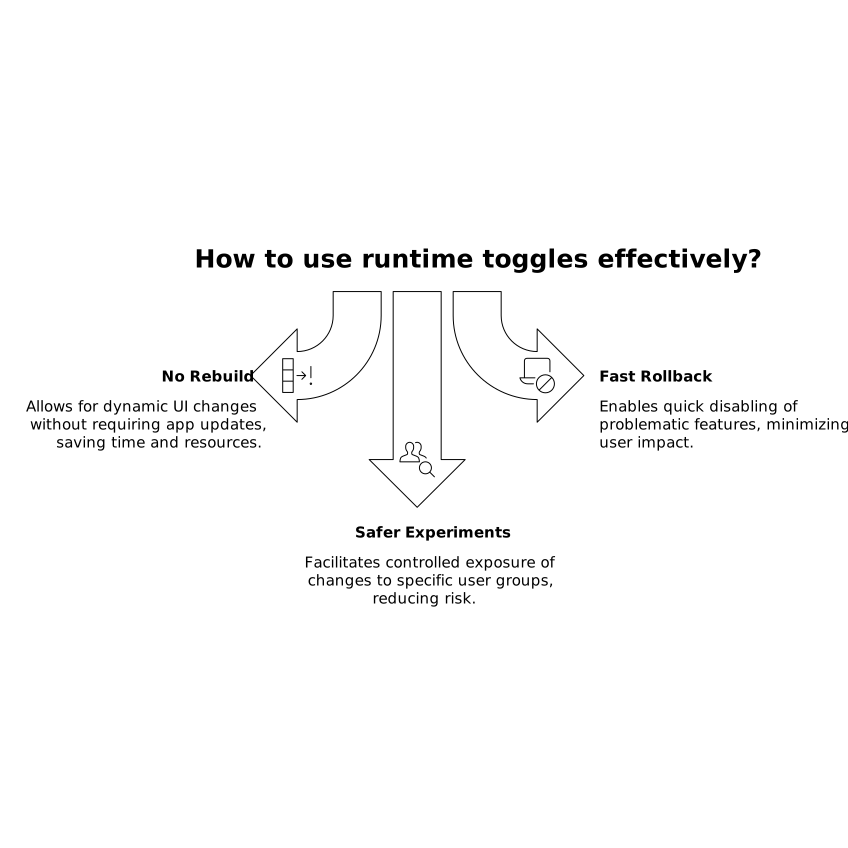
- No rebuild of screens: the same published frontend can render different experiences based on toggle state.
- Fast rollback: if a new UI breaks a critical path, you can disable it instantly.
- Safer experiments: you can expose changes to 1% of users, internal staff only, or a single tenant.
Platforms like WeWeb already encourage separation of concerns between UI, data sources, and logic. That makes it a natural place to introduce a toggle layer: the UI stays stable, and flags decide which branches run.
Core toggle patterns for no-code UI
1) Safe rollouts with percentage exposure
A safe rollout gradually increases exposure: 1% → 5% → 25% → 50% → 100%. In no-code frontends, the main design goal is to avoid duplicating screens. Instead, you gate just the variable parts:
- New components (e.g., a redesigned checkout sidebar)
- New navigation paths (e.g., route to a new onboarding flow)
- New API behavior (e.g., switch from “v1” to “v2” endpoints)
Percentage rollouts require stable bucketing so the same user consistently sees the same version. Common bucketing keys are user ID, email, or tenant ID. If you don’t have authenticated users, you can bucket on a generated anonymous identifier stored in local storage, but be aware that privacy settings and device changes may affect consistency.
2) Kill switches for critical paths
A kill switch is a toggle designed for emergencies. It should be simple, global, and easy to reason about. Typical use cases:
- Disable a new payment UI while keeping the old one active
- Turn off a risky integration (e.g., an external enrichment API)
- Hide a component that causes performance spikes or layout crashes
In a no-code app, kill switches often map to “if/else” branches in workflows, conditional visibility rules, and conditional route guards. The key is that the “off” path must be pre-tested and still functional. Kill switches are only useful if the fallback experience works when you need it most.
3) Dark launch UI without rebuilding screens
“Dark launch” means shipping UI into production while keeping it hidden from users. This can sound wasteful, but it’s a strong strategy when you want to:
- Test performance in real conditions
- Verify that tracking and event schemas are correct
- Validate backend readiness before exposing the feature
In no-code, dark launching should avoid huge duplicated page trees. Prefer wrapping the new component group with a single toggle condition and reusing shared sections (headers, containers, data queries) wherever possible.
Designing a toggle system that won’t become a mess
Define toggle types and naming rules
Most teams end up with three categories:
- Release toggles (temporary): used for a rollout, removed after stable release.
- Ops toggles (long-lived): kill switches, rate limits, integration switches.
- Experiment toggles (time-boxed): A/B tests, holdouts, UX trials.
Use names that communicate scope and owner, such as checkout_sidebar_redesign_release or billing_webhook_killswitch. In no-code tools, you’ll see these names directly in conditions, so readability matters.
Choose where toggle decisions live
You have three common options, and many apps use a hybrid:
- Frontend-evaluated: the frontend fetches flags and decides what to render. Fast to implement, but be careful not to expose sensitive toggles to clients if the feature must be truly restricted.
- Backend-evaluated: your API returns a “feature state” object as part of session/user/tenant payload. This is often the safest approach for authorization-like toggles.
- Edge/remote config service: a dedicated feature flag service or config endpoint provides low-latency flag reads and governance.
If you already maintain API change management, feature toggles pair well with compatibility planning. A practical companion process is mapping what breaks when an endpoint changes—similar to the approach in a backward-compatibility impact workflow.
Make evaluation deterministic and cache-aware
To avoid UI “flicker” (feature appearing then disappearing), fetch flags early in the app lifecycle. Cache them for the session where appropriate, and define refresh rules. Kill switches may need short TTLs (seconds to a minute). Experiment flags can be cached longer as long as exposure consistency is maintained.
Implementing toggles in a visual builder workflow
In a no-code frontend, toggles typically become:
- Visibility conditions on components and sections
- Conditional branches inside workflows (e.g., “if flag true → new flow”)
- Route guards (e.g., prevent navigation to a dark-launched page)
- Data source switching (e.g., query v1 vs v2 endpoints)
With a platform like weweb.io, teams can combine visual branching logic with external data sources and APIs, which is a good fit for runtime toggles. The key is to keep toggle checks centralized—ideally one “flags” object in app state—so you don’t scatter duplicate conditions across dozens of components.
Governance and safety checks
Auditability and ownership
Every toggle should have an owner, purpose, creation date, and an expected removal date if it’s temporary. Without this, flags accumulate and become an invisible dependency graph. In regulated environments, auditing who changed a toggle and when can be just as important as code changes.
Security boundaries
Don’t use client-side toggles as a substitute for authorization. If a feature must be restricted (admin-only, paid-only, internal-only), enforce it on the backend and treat the UI toggle as an enhancement to user experience, not as a security control.
Observability and measurement
When you dark launch or roll out UI changes, you need telemetry tied to flag exposure: errors, latency, conversion, and funnel drop-off. If your analytics strategy is evolving—especially with privacy constraints—consider measurement approaches that don’t rely on third-party cookies, similar in spirit to measuring AI indexing traffic without cookies.
Practical rollout playbook
- Start with a kill switch for the risky change before you ship it.
- Dark launch the UI to validate performance and tracking.
- Roll out gradually with stable bucketing and clear success metrics.
- Remove temporary flags once the feature is fully released and stable.
This approach keeps no-code frontends flexible in production, without turning every UI change into a redeploy event or a forked set of screens.