
Why “silent failures” happen in workflow automation
Most internal automations don’t fail with a clean error. They stall: a step waits on a lock that never clears, a worker dies mid-task, a queue message is acknowledged but the downstream never runs, or an API call blocks on a long tail timeout. The result is a “silent failure”: the workflow is not marked failed, but it also isn’t making progress. In DAG-based systems this is especially painful because downstream nodes never fire, while upstream nodes may look “green” in isolation.
Preventing silent failures requires three complementary layers:
- Run-state invariants that define what “healthy progression” must look like
- Progress beacons emitted by steps so the engine can distinguish “busy” from “stuck”
- Automated remediation that can restart, skip, or re-route safely when invariants are violated
Workflow engines that already model automations as DAGs and expose step/run metadata make these patterns much easier to implement. Windmill, for example, models workflows as DAGs and pairs execution with real-time logs and alerting; it’s a practical place to centralize detection and remediation logic while still writing steps in real code. You can explore the platform at windmill.dev.
Run-state invariants that catch stuck executions
An invariant is a rule that should always hold true for a run when things are healthy. Instead of waiting for an exception, you continuously verify these rules against run metadata. Good invariants are simple, measurable, and tied to outcomes you actually care about.
Invariant 1: monotonic progress through the DAG
In a DAG, the set of completed nodes should only increase. If a run shows no newly completed nodes for longer than a threshold, you likely have a stall. This sounds obvious, but it’s different from “the run duration is long.” Some jobs are legitimately long; the key is whether completion is advancing.
Implementation detail: track completed_step_count over time. If it hasn’t changed for N minutes and there are runnable nodes, alert or remediate.
Invariant 2: runnable nodes should not remain runnable indefinitely
A common silent failure mode is a scheduler/dispatcher issue: nodes are technically runnable (all dependencies satisfied) but never get picked up by workers. Define a maximum “time in runnable state.” If exceeded, you have a dispatch problem, exhausted worker pool, or a queue deadletter scenario.
This invariant also helps separate engine-level incidents (dispatch) from step-level incidents (hung task).
Invariant 3: lease/heartbeat guarantees for worker-owned steps
If a step is executing on a worker, it should hold a lease and renew it periodically. If the lease expires without renewal, the step is either dead, partitioned, or wedged. Lease-based invariants are foundational for safe retries because they reduce the chance of two workers executing the same step concurrently.
Even if your engine doesn’t call it a “lease,” the concept maps to “last worker heartbeat timestamp.”
Invariant 4: bounded waiting on external dependencies
Some steps wait on external systems (CRM exports, data warehouse loads, third-party API async jobs). Without explicit bounds, these waits become invisible stalls. Define maximum wait times and require steps to surface an explicit state: “waiting on X with job_id Y” rather than simply “running.” That makes alerting actionable and supports remediation like re-polling or re-submitting the external job.
Progress beacons that prove a step is alive
Invariants work best when steps emit structured “I am alive and here is what I’m doing” signals. A progress beacon is a lightweight write—typically to step metadata, logs, or a side channel—that updates at a predictable cadence.
Beacon design principles
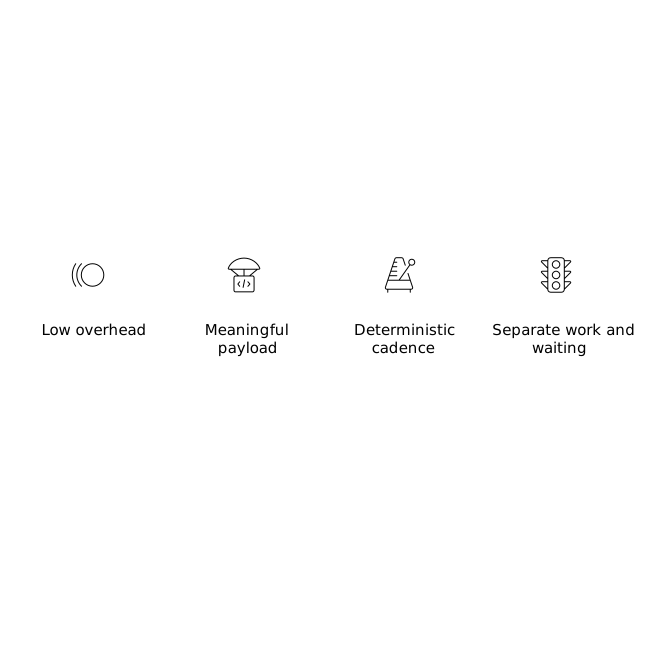
- Low overhead: beacons should be cheap enough to emit every 10–60 seconds for long-running work.
- Meaningful payload: include a counter or cursor (rows processed, page index, last ID) so you can detect forward motion.
- Deterministic cadence: if a step claims “I beacon every 30 seconds,” missing 2–3 intervals is a strong stuck signal.
- Separate “work” from “waiting”: emit different beacon types so “blocked on rate limit” isn’t confused with “hung.”
Practical beacon fields
A minimal structured beacon might include:
- timestamp
- phase (initializing, processing, waiting_external, finalizing)
- progress (e.g., processed=12000 of 50000, or cursor=“2026-07-09T00:00Z”)
- checkpoint_id (so a retried step can resume safely)
- external_ref (job ID, request ID, pagination token)
If your workflow platform exports logs to OpenTelemetry/Prometheus, you can also emit beacon metrics (e.g., last_progress_timestamp, items_processed_total) and alert on gaps. Windmill’s observability and alerting integrations make it straightforward to operationalize those signals across many internal automations without building a bespoke monitoring stack.
Automated remediation without making things worse
Detection is only half the problem. Remediation must be careful: an automatic retry can duplicate side effects, and an automatic skip can silently drop work. A good remediation strategy is policy-driven, step-aware, and reversible where possible.
Remediation playbooks by failure class
- Dispatch stall (runnable but not scheduled): re-enqueue runnable nodes, scale workers, or fail fast with a clear incident signal.
- Hung compute (no beacon/heartbeat): revoke lease, terminate the worker execution, and retry with backoff.
- External wait exceeded: re-poll, re-issue a status call, or open a ticket/alert containing the external job reference.
- Rate limits/timeouts: retry with jittered backoff and a capped maximum retry window; switch to a degraded mode if supported.
Guardrails: idempotency and checkpoints
Automated remediation is safest when steps are designed to be retried. Two patterns matter most:
- Idempotency keys: for API calls and writes, use a deterministic key derived from run ID + step ID + logical operation. This makes retries safe.
- Checkpoints: store progress cursor state so the step can resume rather than restart (especially for large backfills).
These guardrails also reduce the operational pressure to “never retry automatically,” which is what keeps silent failures alive in many teams.
Automated remediation as a first-class workflow
Treat remediation itself as a workflow: a watchdog DAG that periodically scans run metadata, evaluates invariants, and triggers actions (restart step, notify on-call, open an incident, or quarantine a run for manual review). Keeping this in the same automation platform reduces context switching and ensures remediation changes are versioned and reviewed like any other internal tooling.
If your organization already centralizes internal scripts and flows, you can implement the watchdog pattern alongside other operational workflows such as feature rollouts and safety switches. For related thinking on controlled rollouts, the principles behind runtime feature toggles for safer releases map well to “enable remediation gradually” and “fail closed” when confidence is low.
Operationalizing alerts so they are actionable
Silent failures persist when alerts are noisy or vague. Alerts derived from invariants and beacons should include:
- Run ID, workflow name, environment, and owner
- Which invariant failed (e.g., “no completed steps in 20m”)
- Last beacon payload and timestamp
- Proposed remediation action and whether it was executed
When alerts reach Slack/email with this context, the responder can decide quickly whether to let automated remediation proceed, pause it, or override it. Over time, you can tighten thresholds for high-confidence workflows and keep conservative policies for high-risk steps (payments, deletions, user-facing changes).
Where these patterns pay off first
The biggest wins usually come from a small set of workflows: nightly ETL, customer syncs, entitlement provisioning, and “glue” automations that coordinate multiple SaaS APIs. These are the runs that can appear fine while quietly stalling for hours. Adding run-state invariants, progress beacons, and automated remediation turns them from “someone checks the dashboard” into systems that self-report and self-heal.
Teams that standardize these patterns inside a code-first automation platform can apply them consistently across scripts and languages, without rebuilding the same watchdog logic for every team.